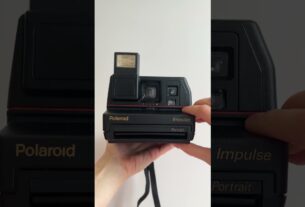
Detailed steps 👇🏼👇🏼👇🏼
Step 1: Get a strip of paper
Whatever size works as long as you can paste your photos on it but it has to be smaller and shorter than your journal.
For reference, my strip is 1.1” by 5.5”.
My journal size is 5.5” by 8”.
Step 2: Paste your photos
You can print as many or as little photos, as long as it fits your paper strip.
I printed 4 tiny photos with a dimension of 0.8” by 1.1” each.
Paste them on your strip evenly, leaving about 0.5” of space at the top (or more if you prefer) for you to be able to pull the strip.
I also left about 0.7” of space at the bottom of the strip to be able to see the last photo without removing the entire photo strip from my journal.
Step 3: Get a piece of paper to “hide” your photo strip
It can be any design or color you prefer.
The length and width of the paper has to be bigger than your photo strip to be able to cover it, but it has to be the same size or smaller than your journal.
The paper I used is 3.5” by 6”.
Step 4: Print your camera
Make sure the width of your camera is slightly wider than your photo strip so it looks more realistic!
For reference, this camera is 2” wide, but the top width of the camera is 1.4”, which fits perfectly with my photo strip being 1.1” wide.
Step 5: Paste your camera
Paste your camera near the top of your paper from step 3. Make sure you leave enough space below the camera to hide your photo strip.
Step 6: Cut a slit right above the camera to slide your photo strip in
Cut the paper (not the camera) according to the top width of the camera. You should be able to slide your photo strip in smoothly, and the photo strip should be hidden.
Step 7: Tape the sides and paste it on your journal
Flip to the back and apply tape on the paper, along the sides of your photo strip. This will help your photo strip to slide in and out securely.
Step 8: Layer your page however you like!
Now that you’ve hidden your photo strip and pasted your camera onto your journal page, you can now add elements and layers to your page.
Have fun!
_
I will be sharing my next spread soon 🙂
SUBSCRIBE so you don’t miss it 🥰
LIKE, SHARE, and SAVE for inspiration ✨
_
🏷️
#journal #journaling #journalwithme #journalinspiration #journalideas #journalspread #journalpages #journalasmr #journaladdict #journalingcommunity #scrapbook #scrapbookjournal #scrapbookingideas #scrapbookcommunity #creativejournal #journalsetup #junkjournalideas #junkjournal #junkjournalcommunity #interactivejournal #tutorial