
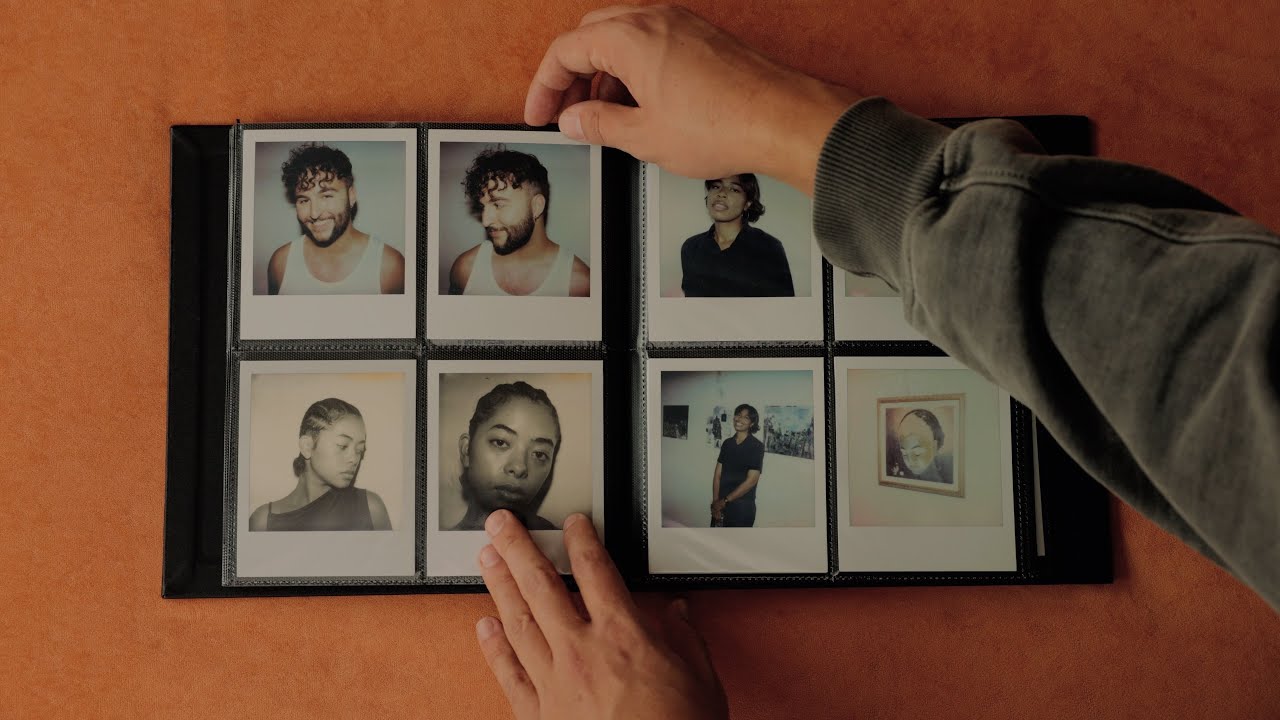
A short and sweet video about how I scan polaroids, instax, and peel apart packfilm – instant films – at home. Enjoy.
Like the channel? Support me by buying me a coffee:
https://ko-fi.com/linusandhiscamera
//
Follow me!
instagram: http://www.instagram.com/linusandhiscamera/
twitter: https://twitter.com/linusnhiscamera
https://linktr.ee/linus
//
I use copyright free music from Musicbed. Use my link when you sign up: http://share.mscbd.fm/linusandhiscamera
//
Some of my film photography and video making gear:
(Affiliate Links)
DJI Wireless Mic: https://amzn.to/4an8PeP
Peak Design Tripod: https://amzn.to/4cpImza
Canon R6 mkii: https://amzn.to/3nFmawb
Canon 24-70: https://amzn.to/3RgDVyF
Canon 70-200: https://amzn.to/3R9wzwy
Sony FX3: https://amzn.to/3SoxzdZ
Portra 800: https://amzn.to/32qtHkp
Lomo CN800: https://amzn.to/3wZnudg
DJ Light: https://amzn.to/45itFsZ


Can you share your way you remove the black frameing after scanning. When i do it i leave edges and other marks when i export as a png
I enjoyed this video but gave you a thumbs down because you left the plastic on the scanner.
is that Brooklyn Film scan adapter any different than the one offered by Polaroid for 1/2 the price?
Thanks for the video! Some great info in here as always
Something I wish this video had mentioned before I bought one of the polaroid scan adapters is that if you have a regular flatbed scanner the depth of focus is very narrow, and by lifting the film slightly off the glass due to using an adapter the scans will be out of focus.
Based on my research, as of October 2025 the Epson v600 is the most affordable scanner that has this deeper focus zone, but it appears it has been discontinued. If you're using basically any scanner under $500 do not bother with a scan adapter because it will cause more problems than it solves. Happy to be fact-checked on this of course!
Super helpful
Does the polaroid become equal to a “negative”?
Don’t Polaroids get damaged by tape? If not, what kind of tape is it?
Damn this is fire. I wanna get the album.
could you ppost a video of you scanning negative colour film please ?
2:46 are you kidding me? That's an amazing photo.
I’m surprised you don’t have issues with newtons rings when scanning Instax directly on glass. I shoot instax wide and the newtons rings are horrible unless I use the grid tool.
Do you use the Polaroid photo album book to store your instax photos too? I have a decent collection of instax photos and I'm always curious how people store them. Great video. Thanks!
What's different about the films that you use a holder for polaroid, but instax is directly on the glass?
You're so gorgeous!
Dope video brother!!! Definitely going to try these tips out 💪🏾💪🏾💪🏾
3:46 holy shit it's Matt Berry
super useful!
have you seen Matt Days way of scanning polaroids?
Have you found a binder for Instax square ? I just can’t no mater how much I try to
Been seeing a lot of Polaroid and Instax videos lately, kinda wanna get a camera. Had the Mini 99, which was fun but I didn’t like the tiny film size. The details though! I looked at the photos with a magnifying glass and there was details for days!
By the way, and I’m asking all the artists I follow here about this now, any chance of seeing you on Cara? It’s made by artists (a photographer actually) for artists. Right now there are no ads, so your art isn’t being used to sell ads. And there is an iPad app as well as website version, so your art fills the screen and looks great! I just really want to follow more people there and I want people to abandon IG because it’s awful.
please do more videos about polaroid!! greetings from Brazil!
TIP 2: Invest in a Photoshop plug-in called SRDx by Lasersoft (the blokes who do Silverfast) It is AMAZING at getting rid of all dust, scratches, imperfections (you have total control so you can keep it as real as you want). It's literally saved me hours of hand re-touching. BUT the new remove tool in P-shop is great too for more complex things.
TIP 1 from an old Pioneer. Polaroids need to "breathe" a little while they dry. They don't rust like they used to, but they still can degrade if you don't let them dry. Albums are great, but during a shoot they go into an empty pack box like you and chill out in darkness in my bag. It lets them breath and dry a touch. BUT, standing up like that can make them bow slightly. SO, when I get home, I take the stack and put something a little heavy on top (it doesn't need to be much) but still leave it out so they all dry flat. I have a place in my film closet, so they don't get disturbed or dusty. If I'm scanning right away, that's cool, but I don't put them into my album (I use the same Polaroid ones you do) until a week or so later.
ugh love this linus!! thanks for another great video 🙂
can any of the other mamiyas do a "frankenstax" back besides the rb67?
Do you use the sx70 more than the i2?
Great shots. Razor-sharp instant photos don't do the medium justice. The art in the shot itself outways that. If you want razor sharp go modern digital mirrorless
This video just makes me want to shoot polaroid again and more, that album is pretty cool too. 😃
I get inspired by your videos 🤩❤️