
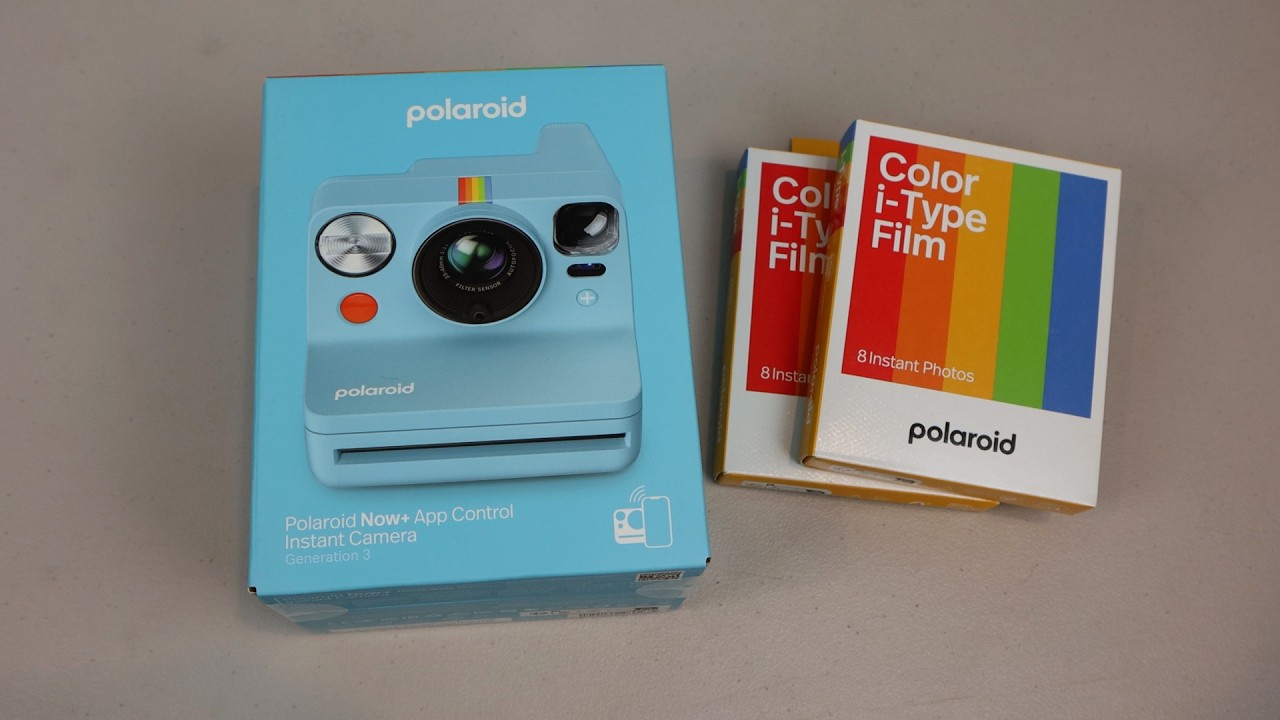
#sponsored #freeproduct Fun to use, #nostalgic look and feel with advanced #photography features unlocked via Bluetooth. Amazon Affiliate Product Link: https://geni.us/nCiEU As an Amazon Associate, I earn from qualifying purchases. #CommissionsEarned
Polaroid’s latest Now+ Gen 3 camera comes with a wrist strap and safety and quick start guides and film packs, neck strap, lens cover, and charging cable are sold separately.
The outer shell is made from 40% post consumer recycled plastics. The 35-40mm autofocus lens has a 40° horizontal and 41° vertical field of view and is compatible with Polaroid’s lens filter set. On Now+ models, the light meter sits just below the lens of the camera. The ‘+’ button on the front is the mode toggle, and its LED illuminates when the camera is connected to the Polaroid mobile phone app. A full charge should last you around 15 packs of film.
The main difference between Now and Now+ models is that Now+ can pair with the Polaroid mobile app to give you access to more advanced photography features. The app detects your camera automatically and lets you scan your photos, create collages, and share them online. There is a ¼”-20 tripod mounting point on the bottom, and Polaroid has made a couple tweaks to improve its performance over Gen 2 models, namely a dual-lens auto-focus system.
I tested the Now+ outdoor in full sun on a late fall afternoon and in the images captured, bright, direct sunlight tends to wash out light lighter colors. While I hadn’t made any adjustments to the default settings, I feel that using the manual controls for exposure, shutter speed, or f-stop, could have improved the shots. For long distance focus shots where subjects were 10-12 feet away, I felt that focus was a little bit soft at that distance and the flash couldn’t reach subjects farther than 6-8 feet away. The flash performed much better indoors from a distance of about 5 feet and subjects were clearly illuminated with sharp detail and deeply saturated colors.
The modes in the app are: Remote, Self-Timer, Double-Exposure, Aperture Priority, Tripod, Portrait, Light Painting and Manual. Each of these modes gives you control over toggling on and off the flash and EV correction as well as a remote trigger button on the screen. Toggling the flash and different modes in the app will reflect on the camera’s LEDs. You can also see how many slides are remaining in your pack as well as battery life in the bottom left corner. EV correction can be applied in 1/3 increments up to +/- 2. Self-timer mode gives you additional time selections of 3, 6, or 12 seconds in addition to the camer’a default 9. You’ll also notice that the camera’s ‘+’ button LED will be lit up blue when connected to the app via Bluetooth. When using the app for any of these modes, you can take the photo with either the on-screen shutter button or the button on the camera itself.
I really like double-exposure mode which lets you superimpose two images on top of one another for interesting and creative layering. Portrait mode also produced very nice portraits of close up subjects with that signature blurry background. Light Painting was a fun mode to try out but be sure to use it only in the darkest of settings as the longer exposure time can washout your image if there’s even a moderate amount of ambient light. I like that this mode lets you paint with your phone’s camera flash by default, though you can also use your own light source like a LED rod, sparkler, or glow stick.
Manual gives you full control over the settings of the Now+ camera from the lens to select the focus range, f-stop and shutter speed, EV correction, and flash power. You’ll notice at the end of the shutter speed selections, bulb mode, which basically keeps the shutter open for as long as you like, allowing for long exposures beyond 30-seconds, essentially mimicking light painting mode. Changing the auto-eject setting lets you perform multiple exposures and you can stack 2 or more exposures if you like. Then you tap on the three dots menu in the top right corner and here’s where you manually eject the film after composing or stacking your exposures. Some of the modes can be saved to the camera as a shortcut. Then to use it, long press the ‘+’ on the front.
If you love the tactile feel of physical photos and creating unique, interesting prints or just like having the ability to fine tune the composition or your instant film shots, the Now+ offers you full artistic control over your photos via the simple-to-use #Polaroid app. While the overall photo quality is largely dependent on your skill as a photographer, taking photos with the camera is a lot of fun and for those who remember the days before digital, a heartwarmingly nostalgic experience.
As an Amazon Associate, I earn from qualifying purchases
Amazon Affiliate Product Link: https://geni.us/nCiEU



I don't know how to share photos from my Polaroid app album to the app community
This was very helpful!! Thank you for your review
Great review!
Phil, I have a question. If I take a photo with my Polaroid and want to edit it, but I don't know how, can the app automatically edit it as best as possible? Thanks.
Great review!!
Great video!